
- Freeto play
- #16in Adventure
- Nodownload
- Alldevices
About Cube Worlds
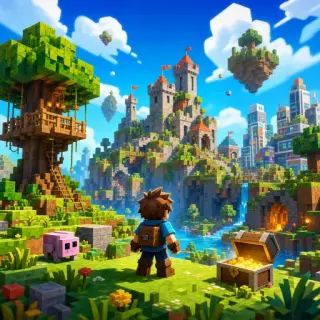
Cube Worlds is a 3D block sandbox where the whole point is to build, dig, and shape the world at your own pace. The map is huge, with terrain that keeps going, so you have plenty of room for big ideas. You can make castles, tunnels, pixel-style cities, or a dream treehouse. There is no survival pressure and no mobs chasing you, so the focus stays on building and exploring your own plans.
You get more than 250 block types to work with, including grass, stone, glass, lava, flowers, beds, torches, and rails. A round can be as short or as long as you want: pick a spot, place blocks, carve space, and keep adding details until the build feels right. The fun comes from the open-ended freedom and the challenge of turning a blank stretch of terrain into something you imagined. Cube Worlds plays free in the browser.
Highlights
- Huge 3D sandbox map with endless-feeling terrain
- Over 250 block types for building and decorating
- No mobs or survival pressure while you build
- Create castles, tunnels, cities, or treehouses
- Free browser play with a relaxed pace
Who will enjoy it
Cube Worlds is good for players who like calm sandbox building without enemies or timers. It suits anyone who wants to make large block creations and experiment with many materials.
How to play Cube Worlds
Choose a place in the world, then build or dig to shape it into your idea. Use the large block set to create structures, paths, tunnels, and decorations. There is no enemy goal to beat, so progress is about making the world look the way you want.
📱 Touch controls
Use your browser’s mouse and keyboard controls.
⌨️ Keyboard and mouse
Tips
- Plan the main shape first, then add details like glass, flowers, torches, or rails.
- Use the huge terrain to spread out big builds instead of crowding everything into one spot.
- Try mixing natural blocks like grass and stone with decorative blocks for clearer designs.
- Because there is no survival pressure, take time to rebuild sections until they match your idea.
Game details
Cube Worlds questions
Is Cube Worlds free to play?
Yes. Cube Worlds is free to play in your browser.
Can I play Cube Worlds on a phone or computer?
Cube Worlds plays in a browser. No specific phone controls are listed, so a computer with mouse and keyboard is the safest option.
What do you do in Cube Worlds?
You build, dig, and shape a large 3D block world. You can create castles, tunnels, cities, treehouses, or any other block project you can plan.
Are there enemies or survival in Cube Worlds?
No. The game has no mobs and no survival pressure, so you can focus on building at your own pace.
How many blocks are in Cube Worlds?
Cube Worlds has over 250 different blocks, including grass, stone, glass, lava, flowers, beds, torches, and rails.