

- Freeto play
- #15in Shooter
- Nodownload
- Alldevices
About FPS Strike
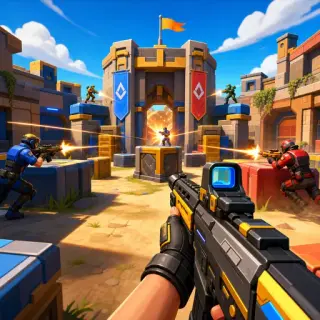
FPS Strike is a free browser shooter built around quick multiplayer battles. You join first-person combat rooms and start fighting without a long setup or a download. Matches take place on five different maps, with two match types: Free-for-All and Team Deathmatch. The weapon list has more than 18 options, including pistols for precise shots and sniper rifles that can take down a target with one strong hit. The action is seen from a first-person view, so aiming, movement, and timing matter in every fight.
A round is fast and direct. Move through the arena, aim carefully, fire, reload, and change weapons when the fight shifts. You can jump over danger, crouch behind cover, check the scoreboard, pause, and open the weapon shop during play. Free-for-All pushes you to watch every direction, while Team Deathmatch gives you a side to fight with. The challenge comes from reacting quickly while choosing the right weapon for the distance and the situation. FPS Strike plays free in the browser with no download required.
Highlights
- Free-for-All and Team Deathmatch modes
- Five unique multiplayer maps
- 18+ weapons, from pistols to sniper rifles
- Browser play with no download required
- Scoreboard, crouch, reload, and weapon shop controls
Who will enjoy it
FPS Strike is good for players who want short, direct multiplayer shooter matches. It fits players who like arena combat, fast aiming, and switching weapons during a fight.
How to play FPS Strike
Join a multiplayer room, move through the map, and shoot enemy players. In Free-for-All, fight for yourself; in Team Deathmatch, work with your side to beat the other team. Use aiming, reloading, crouching, jumping, and weapon swaps to stay alive and get more eliminations.
📱 Touch controls
Use keyboard to move and mouse to aim and shoot.
⌨️ Keyboard and mouse
Tips
- Use the right mouse button before firing at distant targets, especially with sniper rifles.
- Switch weapons with number keys or the mouse wheel when a reload would take too long.
- Reload after a fight so you do not run out of ammo in the next duel.
- Learn the five maps so you can expect where close fights and long shots happen.
Game details
FPS Strike questions
Is FPS Strike free to play?
Yes. FPS Strike is free to play in your browser, and no download is required.
Can I play FPS Strike on a phone or computer?
FPS Strike is a browser game with keyboard and mouse controls listed. A computer is the safest choice because no touch controls are provided in the controls list.
What modes are in FPS Strike?
FPS Strike includes Free-for-All and Team Deathmatch. Free-for-All is every player for themselves, while Team Deathmatch puts players on opposing teams.
How many maps and weapons does FPS Strike have?
The game has five maps and more than 18 weapons. The weapon range includes pistols and sniper rifles.
What are the main controls in FPS Strike?
Move with WASD or the arrow keys, fire with the left mouse button, and aim with the right mouse button. You can also jump with Space, reload with R, and change weapons with 1 through 4 or the mouse wheel.